
Summary
Clear Existing Shifts and Delete Future Shifts are two different functions within ShowMgr shift management that achieve the same thing, but have different trigger points. Clear Existing Shifts is to clear out existing shifts before applying a new shift, whereas Delete Future Shifts is to simply delete a shift.
Clearing Existing Shifts
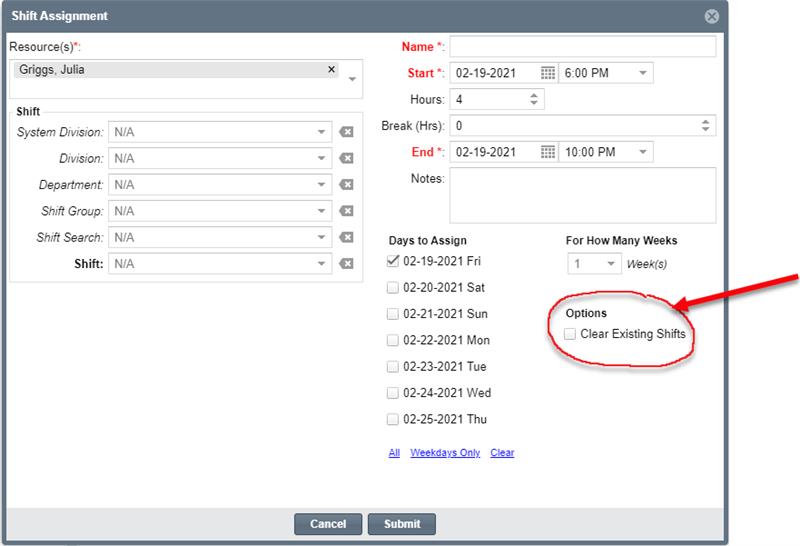
The Clear Existing Shift feature clears out existing shifts before applying a new shift. The main purpose of this feature is to clear out any shift/s on day/s where you already have a shift set and want to add a new shift in its place.
The Clear Existing Shift function is available on the header as well as the shift assignment page from the lower Scheduler (see screenshot below). This functions the same as the shift template feature. When checked, it will clear out the shifts that appear on the day day/s being assigned before it makes the new assignments.
Delete Future Shifts
The Delete Future Shifts feature is used to delete a shift. This feature designed to simply delete shifts for a group of people for a certain date range.