
Summary
Services are considered Elements in ShowMgr and are all items that are not considered to be a person, a place, or a thing. Commonly, outsourced work such as security, catering, or craft services is tracked as a service. This article walks through how to add a generic Service Category to ShowMgr and then how to add specific Service Types to each of those Service Categories.
How to Add a New Service Category
- From the main left-hand navigation menu, select Services
- From the Services grid you can create Service Categories, which define how Services are nested and categorized e.g. Food & Beverage, Production, Security. To add a new Service Category, click on the + Add New Category button

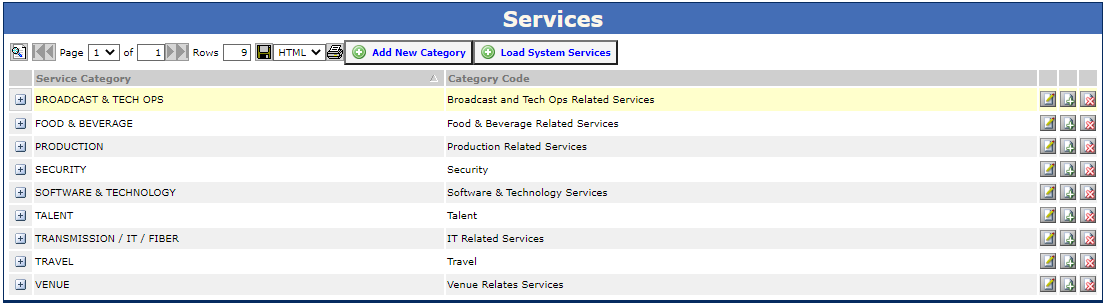
- Fill in the Add New Category fields. The Service Category is the generic category name, while the Category Code field is a broader description of the Service Category e.g. Food & Beverage's Category Code could be Food & Beverage Related Services
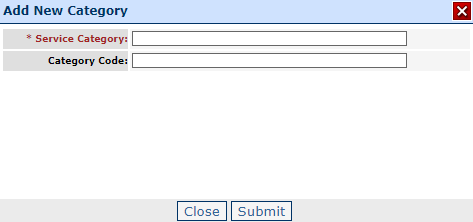
- Click Submit to save and close
- Refresh your page to see the new Service Category in the Services grid
How to Add a New Service Type
Once you have a Service Category (generic) for the Service you want to create, you will need to add the Service Type (specific):
- Select the Add Category Type button
 at the right hand side of the Service Category to add a new Service Type
 - Fill in the Add New Type fields with the relevant information. Be sure to select the correct System Division and select the Accounting Service box if the Service Type is for accounting purposes only
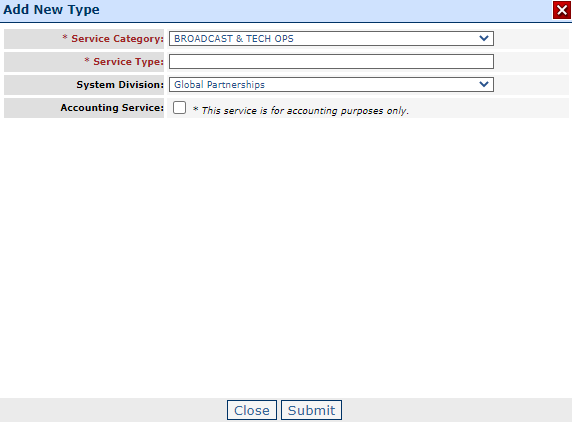
- Click Submit to save and close
- Refresh your page to see the new Service Category in the Services grid
- Once set up, you can also set the system rate card value for the Service by clicking on the Rate Card
 button
Modifying Service Categories and Types
Once you have your Service Categories (generic) and Service Types (specific) set up, you can always go back and modify them. Just click on the Modify button  at the right hand side of the Category or Type to edit the details.
at the right hand side of the Category or Type to edit the details.Limitation of Mapping Services Types to Service Categories
Currently the ShowMgr system does not allow a user to map 1 Service Type to 2 different Service Categories (or more). We have added this to our enhancement candidate page within our support site. If you have any further input on Service functionality, please add your comments there.