Summary
This article walks you through how to access and use a number of existing budget templates with worksheets
Using an Existing Budget Template
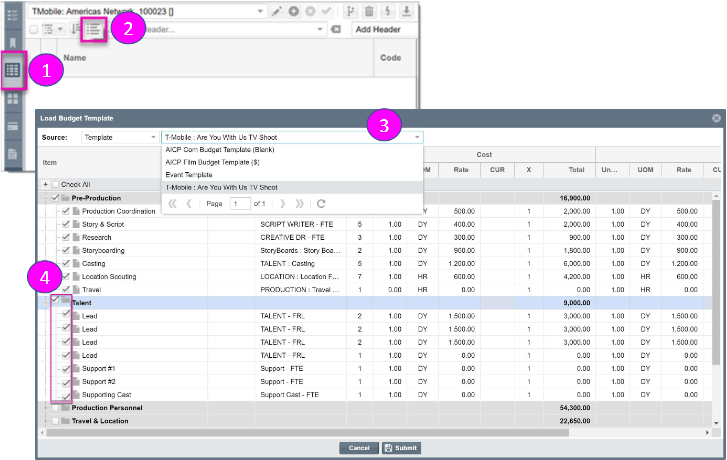
- Select Budget from the left hand navigation menu and then select the Worksheet icon on the Driver Tab to view the Budget Worksheet
- Select the Load Template button to import a budget template into the worksheet
- Click on the drop-down arrow to display a list of existing Budget Templates
- Select line items individually by Header or the Select All feature. When the desired items have been selected, click Submit to populate the template onto the Budget Worksheet