
Summary
This new feature allows for contact information such as phone numbers and email addresses of booked Resources to be visible in Order reports, just like Order Contacts are.
Viewing Booked Resources on Order Reports
- From the main left-hand navigation menu, select Orders
- Find the Order booked Resources, and select the traffic light icon at the top right hand corner of the details or worksheet page
- Select Reports from the drop-down menu, and then select the report you wish to view
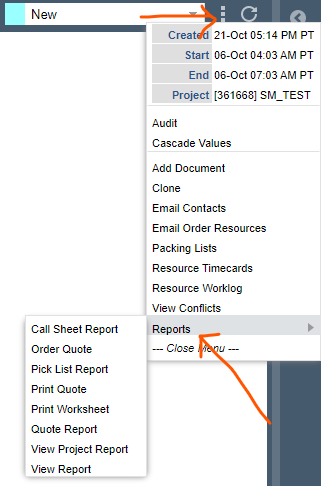
- The report will show up as a pop-up. You will be able to see all of the Order's contacts and booked Resources under the Contact Information section of the report
- To print a report, just select Print at the top of the pop-up
Note: We are working to add this same functionality to order alerts.