Summary
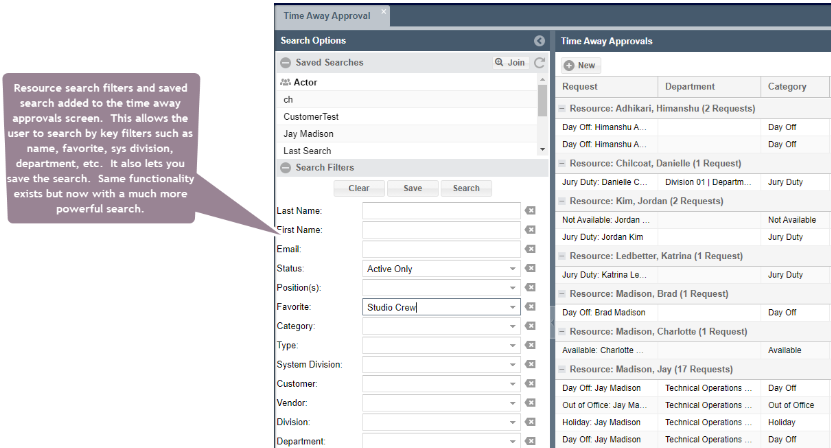
This new feature improves the search functionality on the Timeaway Approval grid. ShowMgr has added the full search panel, similar to the Resources grid, which allows users to search by department, division, name, etc and also save searches which can be used on all of the grids.
Using Enhanced Search on the Timeaway Approval grid
Similar to the other searches throughout ShowMgr, the Timeaway Approval page now has the same search functionality. You can search by department, division, system division, name etc. You can also save searches, which will be replicated and available for use in all of the saved searches fields across the system.
To access the page from the main left-hand navigation menu, select Resources > Time Away Approval to open the Time Away Approval grid. Once you're in the grid, you can use the Search pane on the left to filter your search as you would in any other ShowMgr grid.