Summary
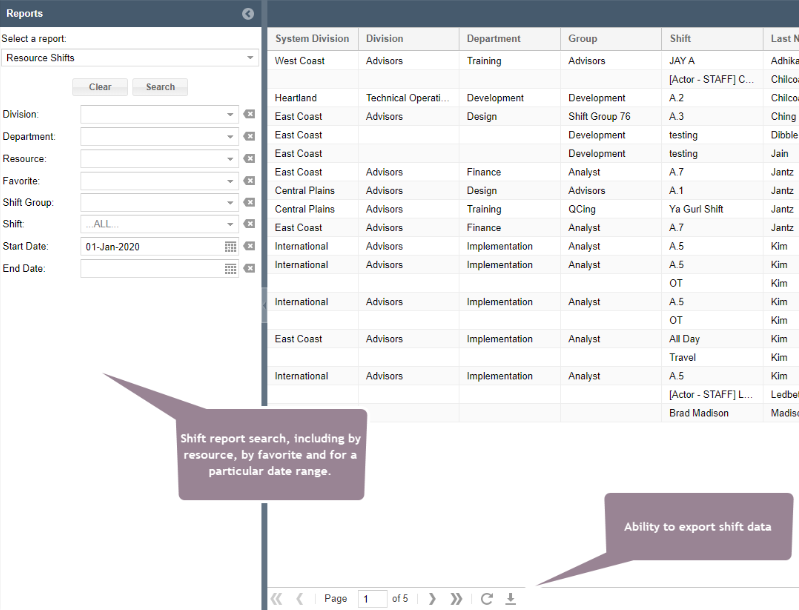
ShowMgr recently improved the ability to export a shift report which includes a list of shifts that a Resource has been assigned to over a specific date range.
Accessing, Exporting, and Printing Shift Reports
With this new capability you can now print out shift reports directly from a new and improved Shift Assignment grid. This grid has improved search capability where you can save searches and also open shift assignments.
- From the main left-hand navigation menu, select Resources > Shift > Shift Assignments
- Using the search panel, search for the shift assignments you want to print (e.g. date range, department, favorite, by resource)
- These shift assignments will be loaded into the grid
- To export, just click the export button at the bottom of the grid. It will export the information from the grid into an excel format, which you can further manipulate and/or print depending on your needs