
Summary
ShowMgr has a suite of tools that can be used to quickly and easily modify Order attributes, statuses, dates/times, Elements, rates, and more. This article walks through how to use these Tools feature to modify Order attributes
Using Tools to Modify Order Attributes
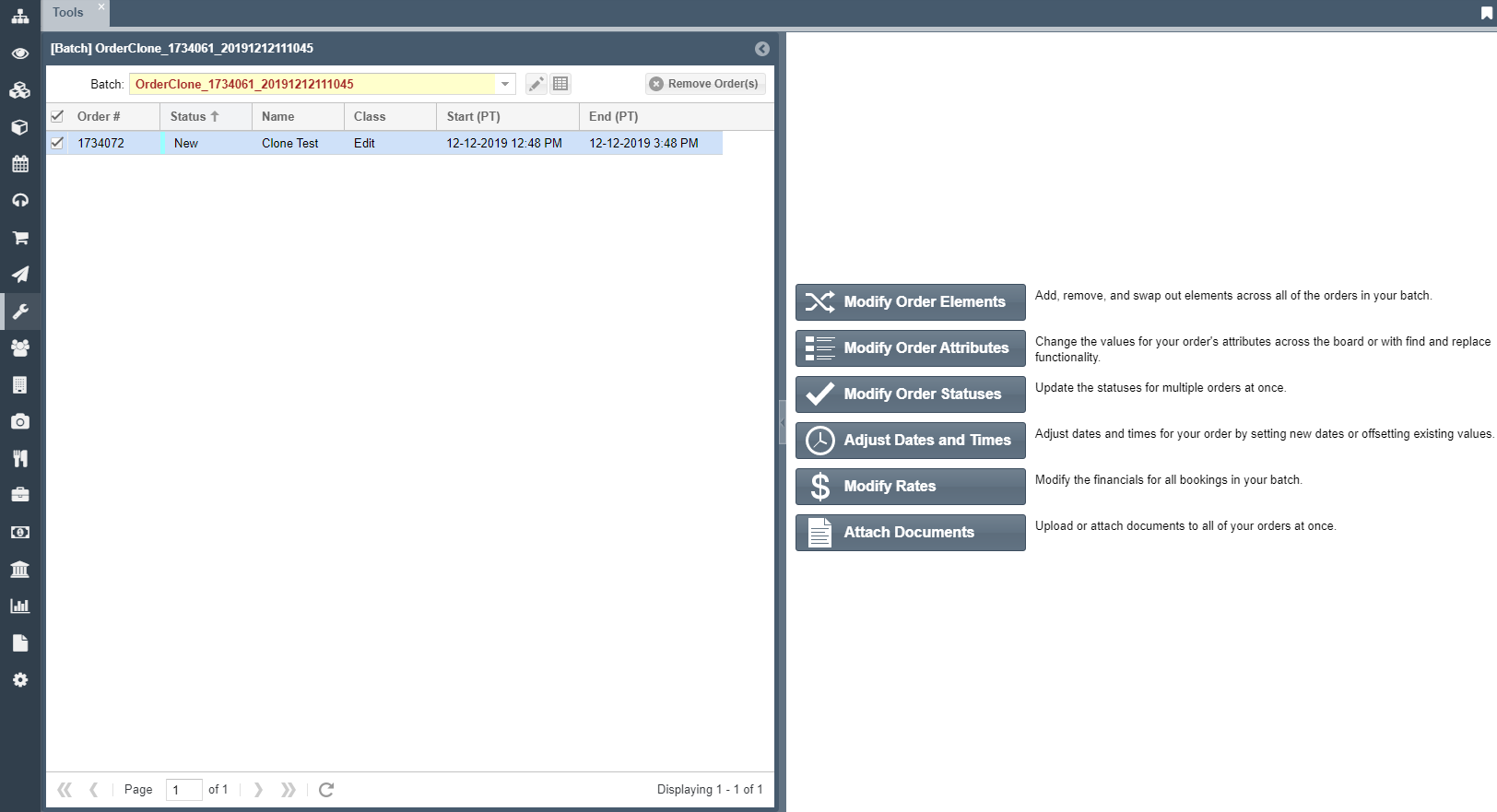
- In ShowMgr's main left-hand navigation menu, select Tools
- Select a Batch from the Batch drop down menu

- Select the Orders you want to modify and select Modify Order Attributes button the right hand side
- At the top, select which Attributes you would like to modify and use the drop down menu to choose how you wish to modify the Attributes
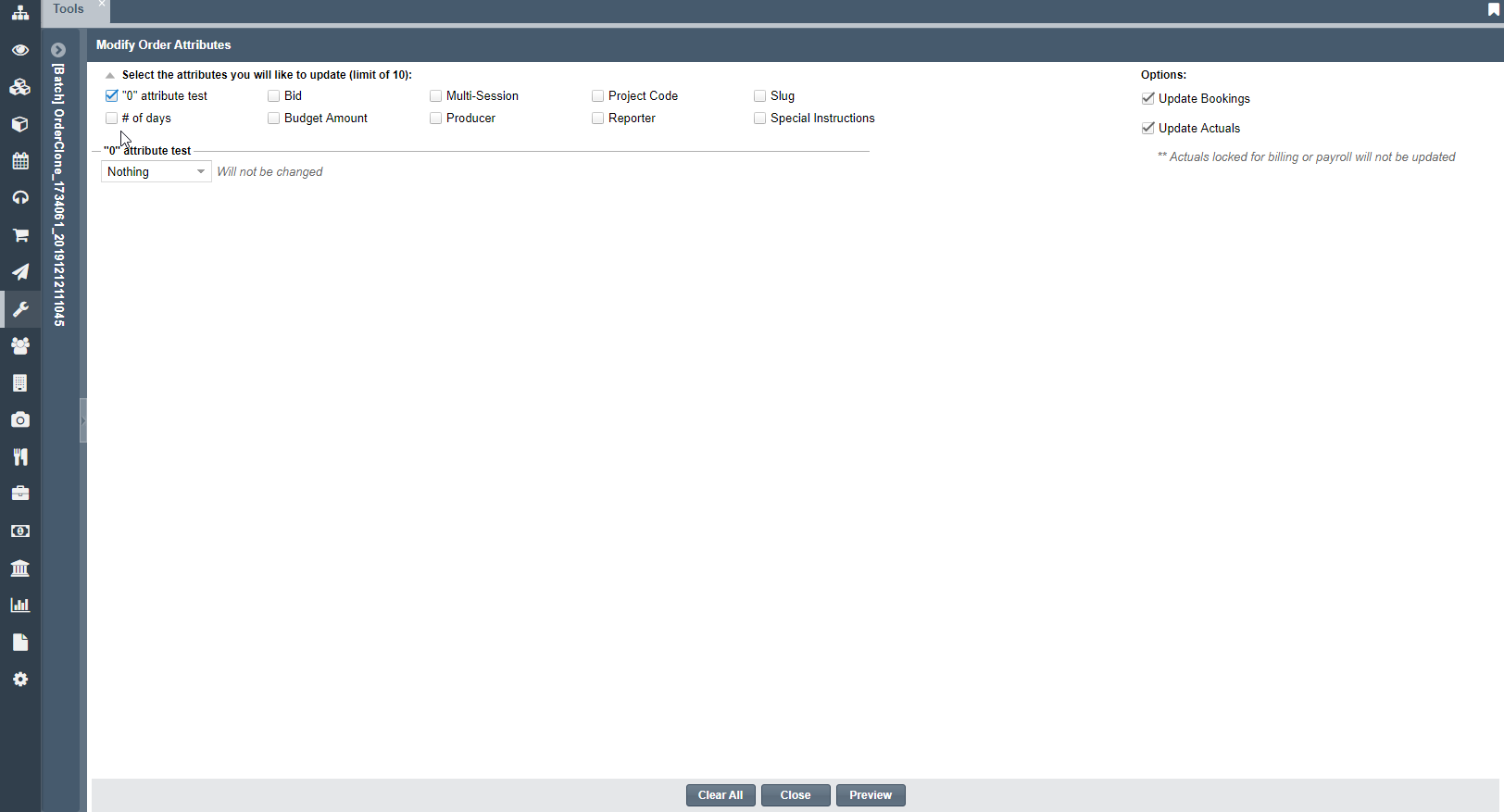
- Select Preview to confirm your changes
- Click Submit to save your changes