
Summary
Resources, one of the Element types within ShowMgr, are individuals such as crew members and camera people, who get assigned to Orders. Any Resource can be assigned to a specific position. ShowMgr comes pre-loaded with default positions, however you are still able to add and manage your own positions
Adding and Managing Positions for Resources
- Navigate to Resources > Positions in the left-hand navigation menu to show a list of positions that have been set up in ShowMgr
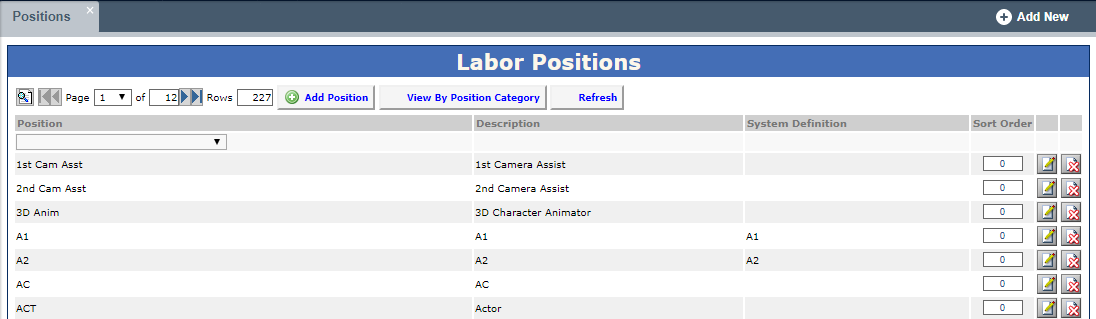
- To modify a position, click the Modify
 icon
icon - To add a new position, click the Add Position
 button. Fill out the mandatory fields (denoted in red) as well as any other relevant fields. Note: for those positions that can be part of different position categories (e.g. consultant, full time employee), just add the position once and tick all of the check-boxes of the position categories you want the position to be assigned to. Click Submit to save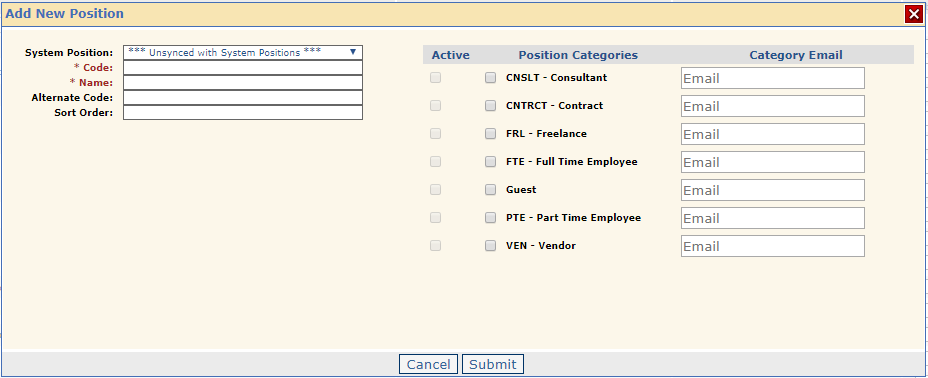
- To delete a position, click the Delete
 icon
icon
- To modify a position, click the Modify
- Resources can then be assigned to a position via the Manage Resources grid (see the following section)
Adding a Position to a Specific Resource
- Navigate to Resources > Manage Resources to show a list of all of your Resources
- Double-click the Resource that needs a new position
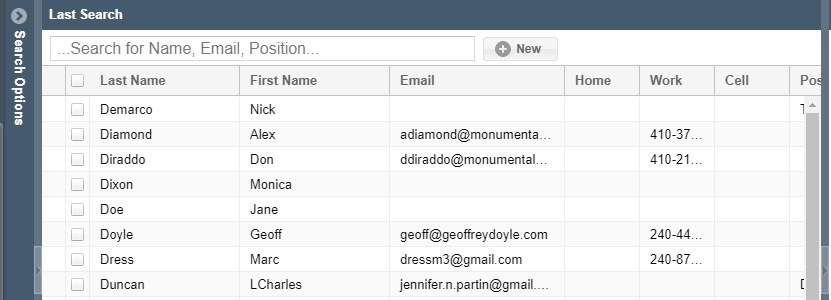
- Select Positions from the individual's left-hand menu to load the Positions into the Grid
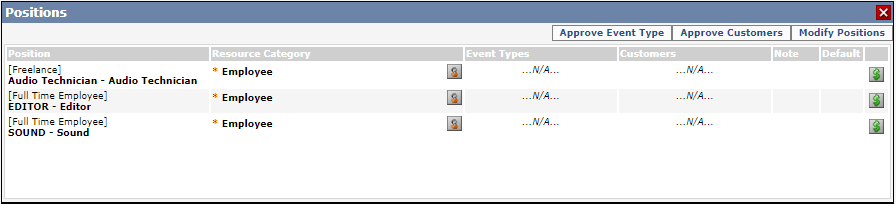
- Select Modify Positions to edit the Resource's Positions. Options include: Add Position
 , Set Default Position
  , Modify Skill Position
  , Modify Rate Card Details
  , or Delete Skill
Grouping Positions Together
If you are looking for a way to group multiple positions together so you can work with them as a set, you will need to create a Favorite for the group of positions. Setting the favorite up can be time-consuming, but once you create the favorite you can use them as a set on the resource grid, booking assignment, scheduling, etc.

For other information on Resources, see our articles Common Questions about Resources and Adding and Managing Resources