Summary
Building weekly, monthly, and annual reports in ShowMgr is easy using the Metrics Grid. The Metrics Grid is a new feature which collects Order and Booking details on one record which can be exported to Excel or other reporting tools. This article introduces you to these reporting capabilities so you can create your own system reports depending on your needs
Introducing the Metrics Grid
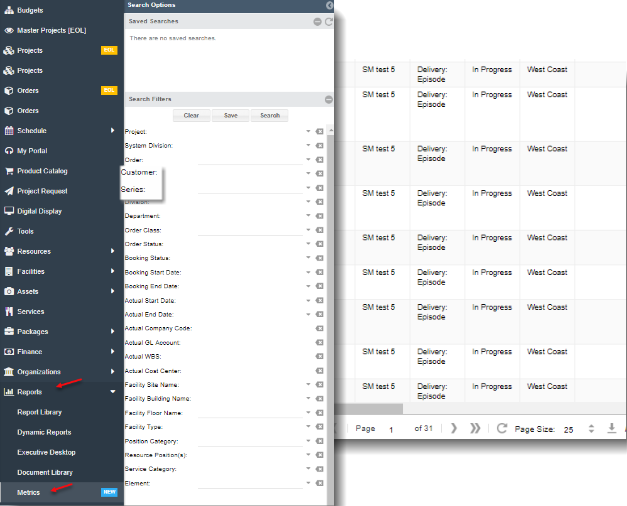
The Metrics Grid is a new page. This page collects high level order detail, along with booking detail, actual detail, and detail about the Element on one record. This detail can then be exported to Excel or other reporting tools for custom reports.
- To access the Metrics Grid navigate to Reports > Metrics Grid
- Use the search filters to select the desired data / information to report
- Click on the download/export
 button at the lower right hand side of the screen to download or export the data for further analysis