Summary
This article walks you through how to create and save a Work Order from a Budget worksheet
Create a Work Order from the Budget Worksheet
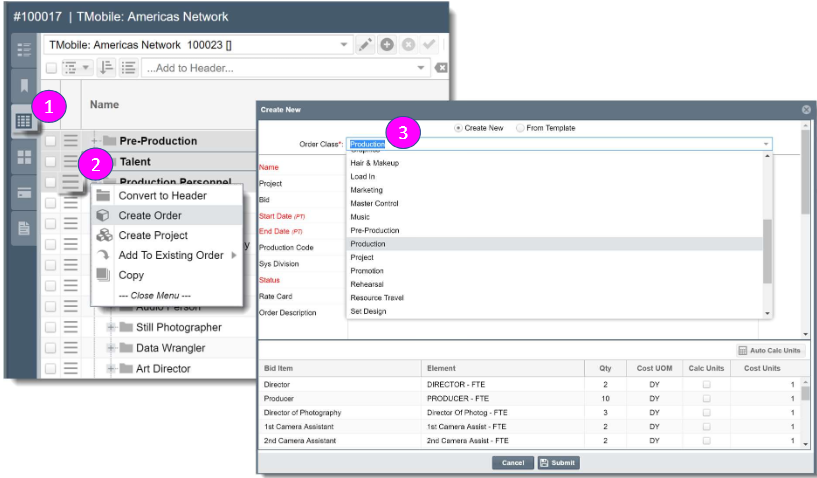
- Select the Worksheet icon on the Driver Tab to view the Budget Worksheet
- Select the Hamburger icon (square with three lines) next to the budget's line item and select Create Order from the drop down menu to open the Order Creation page
- On the Order Creation page, select the appropriate Order Class associated with the work effort that is being created. For example, the production personnel should be booked to a production work order. Click Submit to save your changes
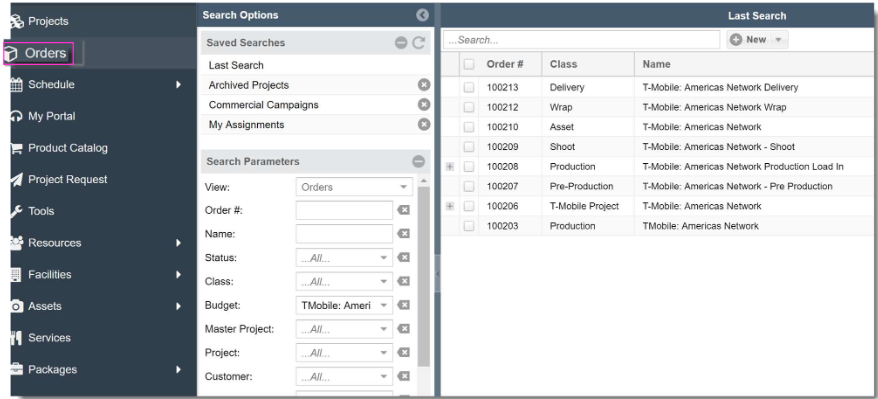
- The Work Order created from the Budget Worksheet will then be displayed in the Orders tab of the left hand navigation panel and within your Budget's Orders Driver Tab.