Summary
For the times when you will not have access to ShowMgr Web or GO, you can print out a copy of your Schedule from the Scheduler. This article will walk you through the steps to print out your schedule in a user-friendly format
Printing a Schedule View
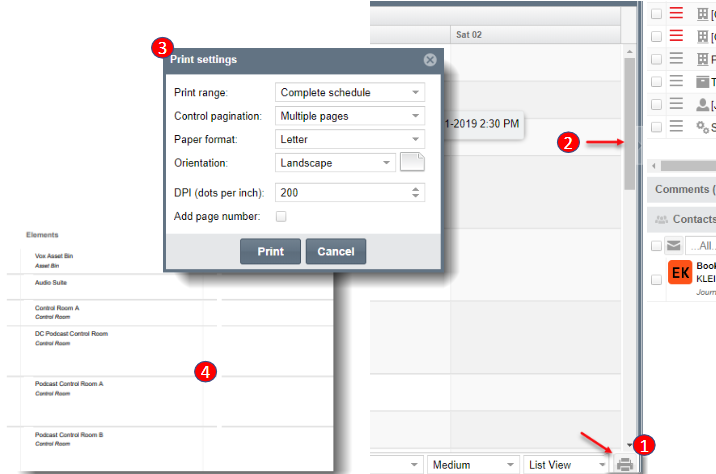
- Navigate to Schedule > Scheduler to open up the Scheduler. Select the Print button at the lower right hand corner or the Scheduler
- Please note: the Tool, Search Parameters, and Navigation Panels may have to be collapsed in order to display the Print icon
- Complete any necessary Print Settings
- This is an example of the schedule view that will print