Summary
In order to ensure your Scheduler has the latest information, it is possible to set up a timer to have your page auto-refresh. This article walks you through how to refresh the page as well as set up auto-refresh
Refresh your Schedule Automatically
- Navigate to the Scheduler on the left hand navigation menu. Once in the Scheduler, click on the
 button to reload and refresh the Scheduler
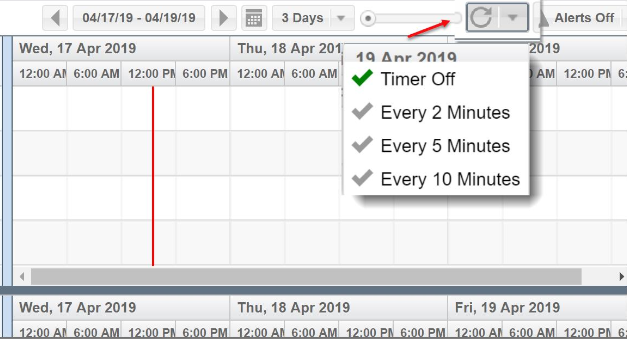
 - For automatic updates to the Scheduler, you can also turn on the Timer function by clicking the drop down arrow to the right of the Refresh button and selecting the frequency of automatic updates. The green checkmark next to the selected time will indicate the current timeframe